skip to main | skip to sidebar

All Things Tech By Joe Knaggs

Pages

  • Home
  • YouTube

Monday, 14 June 2010

Microsoft unveils the Kinect, arriving in November

In what amounts to the worst-kept secret of E3, Microsoft has just unveiled the Kinectmotion controller. Originally called Project Natal, this is the final trade version of the Kinect controller and will be available in November. Pricing is currently unavailable but we will have more information shortly.
Update: Okay, so Kinect is now officially official for reals this time although we already knew all about it.
Key features
  • Full body motion tracking
  • Video calling through a service called Video Kinect
  • Voice and motion interface controls


Posted by Joe Knaggs at 19:29 0 comments Email ThisBlogThis!Share to XShare to FacebookShare to Pinterest
Labels: Microsoft, XBOX

iPhone 4 Pre-Sales At Best Buy Start June 15, In Stores June 24

Best Buy just announced that pre-sale orders of the iPhone 4 can be placed starting tomorrow, June 15. Apple. Pre-sale orders can be placed at any Best Buy or Best Buy Mobile standalone store nationwide.The iPhone 4 will be available for purchase at Best Buy and Best Buy Mobile stores June 24.

The iPhone 4 was announced a few weeks ago during Steve Jobs’ keynote at WWDC. Its notable features are, of course, the extremely high resolution screen, video chat capability with FaceTime, and the new form factor.

Walmart will also be carrying the phone come June 24, but will not be accepting pre-order. And you can pre-order your new iPhone through Apple starting June 15. Best Buy was also chosen to carry Apple’s iPad as well.

The new phone, which comes in black or white, costs $199 for a 16GB version and $299 for 32GB. The June 24th date is for the US, France, Germany, Japan, and the UK. The rest of the world will be able to get the device in July.
Posted by Joe Knaggs at 19:28 0 comments Email ThisBlogThis!Share to XShare to FacebookShare to Pinterest
Labels: iphone

iOS 4 Is Going To Up The Ante For Location-Based Startups

Yesterday, Robert Scoble wrote a post about “Foursquare’s Yelp problem.” It’s an interesting read, with some good thoughts about how Foursquare can withstand feature-copying from a much larger rival. He asked for my thoughts, so I figured I’d jot some down here. Most importantly, his post got me thinking about the next phase of location, which I think we’re just about to enter.

First, Scoble’s thought that Foursquare might be in trouble because Yelp copied its check-in badge idea seems a bit premature to me. It was a much bigger deal when they added the whole check-in concept back in January, but the fact that Foursquare has started growing faster than ever since that point shows they have an advantage over Yelp in the realm. That advantage is that they have a social graph built for location, Yelp does not (yet).

As we all know, Yelp was built as a rating and review system for local restaurants. It has a social graph, but most people on it are connected to other people because they’re interested in their food/restaurant reviews. It has nothing to do with wanting to see which of their real friends are nearby (which is what Foursquare is all about). That’s why I think it would have been smarter for Yelp to partner with Foursquare (or Gowalla, or Loopt, etc) in the same way a service like Hot Potato has (using APIs). Yelp + Foursquare would have been a formidable power play in the location space. Instead, Yelp’s check-in offering is still pretty weak, while Foursquare’s is still pretty small.

Scoble also mentions that it might be wise for Foursquare to buy another service to bolster its offering. That’s not a bad idea, especially when they close that round of funding they’re working on. Scoble specifically menions Foodspotting — a service I like a lot — and that makes a lot of sense. But it may be wiser to think beyond that (or buy Foodspotting and extend their services). Foursquare needs a way to upload pictures and make comments on check-ins (and pictures). Basically, they need to copy the functionality Gowalla has right now. There’s always a fine line between keeping a service simple and cluttering it up with feature creep, but Gowalla’s mixture of check-ins, comments, and pictures is pretty damn perfect in my view right now.

Another idea Scoble brings up is a “check-out.” I love this. He talks about it from customer loyalty perspective, which is a good point, but I think it goes beyond that. One problem I have with Foursquare is that it’s too often populated with inaccurate (old) information. That is, I may go somewhere check-in when I get there, but 30 minutes later I’m gone. Someone who shows up 15 minutes after that (after seeing my check-in on Foursquare) will have missed me. This happens quite a bit. Sadly, the only way to “check-out” of a venue is to check-in to another one. That’s no good.

The problem with a check-out is that it’s total feature-creep. And I would bet that only a small percentage of those that check-in would ever explicitly check-out too — it’s simply asking users to do too much. That leads me to my main point. I think we’re on the verge of location services getting even more interesting thanks largely to one thing: iOS 4.

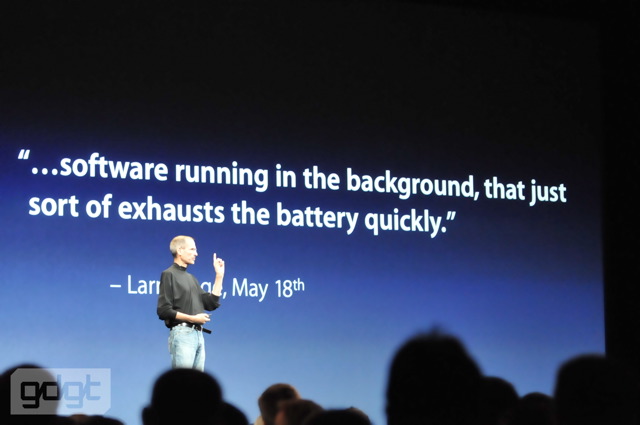
Apple’s new mobile operating system (formerly known as iPhone OS 4), which is launching in about a week, brings with it the ability for third-party applications to run in the background for the first time. One of the allowed functions is background location. Here’s how I see this working with Foursquare: you go to a venue, you load up Foursquare and check-in. The app then stays open in the background for a set period of time, notes when your location changes, and checks you out of the venue when you move far enough away.

Obviously, this would auto check-out would need to be opt-in, but it seems like the perfect initial use of the new iOS with background location. The next step is the auto check-in — but that’s a bit more complicated, and I think users may not be ready for it yet. Still, it would be a cool option to have. The app could track you location in the background and if you stop at some place for long enough, it could ask you if you’d like to check-in there.

By now, you Android fanboys have probably already left several comments along the lines of ”but Android has been able to run location in the background for 2 years.” That’s true, but let’s be honest: it’s the iPhone that’s going to help this type of activity take off (just as it was the iPhone that helped background location take off in the first place). Foursquare, Gowalla, Loopt, etc still see the vast majority of their activity on the iPhone. Android may be able to extend upon these new location ideas, but it will be the iPhone that puts them in the mind of most consumers.

And this is just the most basic functionality made possible by the new iOS. I bet we see a new range of location service pop-up this year thanks to the background location-functionality. And I still bet that a lot of those companies get snatched up by the bigger players looking to compete. And the location turf wars will heat up even more.
Posted by Joe Knaggs at 19:27 0 comments Email ThisBlogThis!Share to XShare to FacebookShare to Pinterest
Labels: iphone, iPhone OS

Sunday, 13 June 2010

Huawei’s E585 portable 3G router is like a MiFi with an OLED screen


There’s something to be said for the “featureless lozenge” style — it’s nice for single-purpose devices like portable hard drives, for instance — but when you have to communicate rather complicated information like device status, battery life, and data throughput via a single LED, things get kind of confusing. That was my trouble with the MiFi, useful as it was: you had to learn its little code, and even then you weren’t sure whether you were going to go over in data usage. This new 3G WiFi sharepoint from Huawei, with the slightly less catchy designation “E585,” includes an OLED screen so you can see exactly what’s going on inside the little guy.
It’s only available in the UK right now (via 3 for ~$75 w/plan) but I get the feeling we’ll be seeing similar devices soon, if not this one specifically. I mean, how nice would it be to have a little network monitor with signal, total data transferred, battery, and whatever else you like on there?
The only issue is that, even being an OLED, that display might drain the battery a bit. Why not a tiny e-ink display like the one on this hard drive? It only needs to update every 10 seconds, or every minute, or whenever you press a button. Someone: make that.

Via Techcrunch
Posted by Joe Knaggs at 16:00 0 comments Email ThisBlogThis!Share to XShare to FacebookShare to Pinterest
Labels: Mifi

Apple Hits 10,000 iPad Apps — Store Doubled In The Past Six Weeks

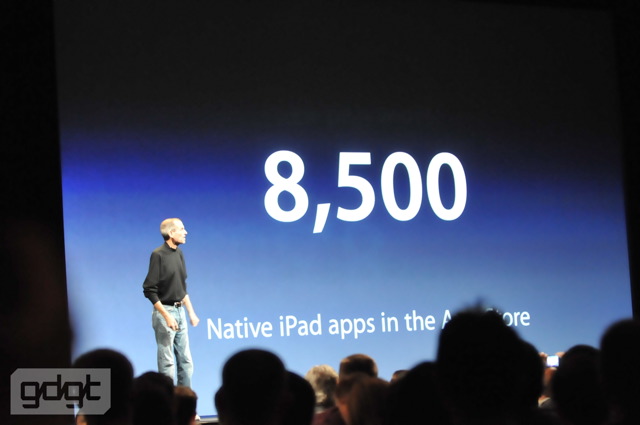
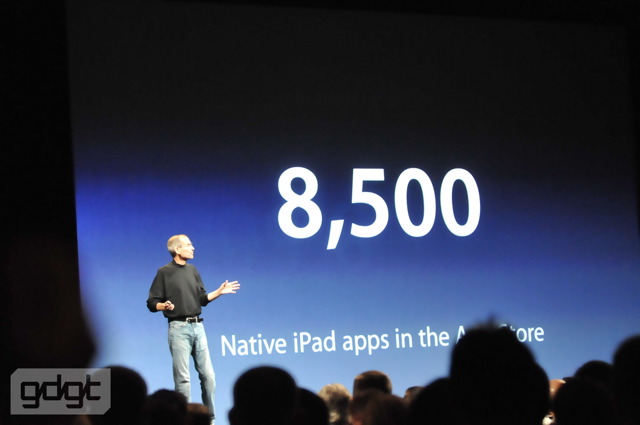
During his keynote address at WWDC on Monday, Apple CEO Steve Jobs rattled off some key statistics. Among them was that there are 8,500 native iPad apps. Actually, at the time, Apple had over 9,000, but we’ll let that slide. How do I know how many app there were? Because unlike other stores Apple oversees, they actually posts the number of apps available for the iPad. And that number just hit 10,000.

If you go to the App Store app on the iPad and click on the “Release Date” area, you can see the total for yourself. Along the top of that area, it will read “1 – 12 of xxxx” — “xxxx” being the current number of apps that are built to run on the iPad.

Back at the end of April, it was reported that Apple was approaching 5,000 iPad apps (actually, they were past that number at the time). That means that in about six weeks, the iPad App Store has doubled in size. Given the iPad’s stellar sales, this is hardly a surprise.

Recently though, a number of developers have noted a long-than-usual wait time for app approvals. One is Reeder, an awesome iPad feed reading app (which was just approved after waiting for a couple weeks). One reason for the delay is likely that Apple is trying to get iOS 4-compatible apps approved in time for the launch of that OS (and the new iPhone 4) in a couple of weeks.
Posted by Joe Knaggs at 16:00 0 comments Email ThisBlogThis!Share to XShare to FacebookShare to Pinterest
Labels: App reviews, Apple, iphone

The Icon iPhone charger is real

Our good buddy Wayne in Singapore just picked up the Icon iPhone charger at a PC fair and reports that it’s real, it works, and it’s pretty cool.
He writes:
Hey, oddly enough, I just bought this gadget at the Singapore PC show
yesterday — and have been testing it out before even seeing this
post.
Posted by Joe Knaggs at 15:59 0 comments Email ThisBlogThis!Share to XShare to FacebookShare to Pinterest
Labels: iphone

Friday, 11 June 2010

Apple Begins Urging Developers To Get Their iOS 4 Apps In For Launch

Today, Apple has begun emailing iPhone app developers to let them know they’re now accepting iOS 4-compatible apps in the App Store. Just as it does each time before a new OS launches (such as earlier this year with the iPad OS, which was iPhone OS 3.2 — yes, it’s a little confusing), Apple wants to make sure it has apps to show off when the new OS hits on June 21 (three days before the iPhone 4 launch).

And this launch is important because it brings the ability for third-party applications to run in the background for the first time. Earlier today, Pocket-lint noted that “massive delays” were expected for multitasking apps. But there were two major problems with this report. First, it seemed to suggest that the iPhone 4 was the key to multitasking. In fact, it is iOS 4 that brings the ability to multitask, and it brings it to the iPhone 3GS and latest generation iPod touch as well. More importantly, they noted that “in our initial testing, only Apple apps, like the Clock, Mail and Safari, can multitask. That’s it!” Um, that’s because there are no third-party apps available yet that have this built in. That’s exactly why Apple is sending out emails that they’re going to start accepting them now.
Here’s my favorite line from the Pocket-lint story, “When we spoke to a number of developers, that aren’t keen to be named in this article for fear of backlash from Apple, they all confirmed to Pocket-lint that, for any app to take advantage of the new multitasking features, it will have to be updated.” Uh, yes. That’s exactly what Apple has been saying all along. I’m not sure what backlash a developer would face for pointing that out.

FUD aside, developers can begin submitting these iOS 4-compatible apps now. And from what I’ve heard from developers, it’s not that hard to do. In fact, a number of them got apps up and running in time to work on the demo units Apple made available after the WWDC keynote address on Monday. For example, here’s Pandora running in the background. Foursquare was working as well, as were other apps.

But it’s not all good news for developers. When Apple makes a call for these new, specific applications, they usually shove other ones aside to make sure the can approve these special ones in time for a launch. We saw this with the iPad launch. Based on what we’re hearing from some developers now, it appears that regular (non-iOS 4) apps are seeing approval wait times that are longer than normal already.
Posted by Joe Knaggs at 16:33 0 comments Email ThisBlogThis!Share to XShare to FacebookShare to Pinterest
Labels: Apple, iPhone OS

Adobe fixes critical Flash flaw (so upgrade right now)

Adobe has fixed that critical flaw that afflicted so many versions of Flash. So if you’re interested in not being on the wrong end of a malicious attack you would do well to upgradeto the latest version of Flash, version 10.1.
The update brings an additional 32 fixes to various issues afflicting Flash.
The update is available for all versions of Flash, so this isn’t an example of Windows users getting an update then the rest of the world has to wait.
Of note: there’s still vulnerabilities in Adobe Reader and Adobe Acrobat, which means that malicious PDFs (yes, they exist) can still affect you. Adobe says it will release a fix later this month.

Article by Techcrunch
Posted by Joe Knaggs at 16:32 0 comments Email ThisBlogThis!Share to XShare to FacebookShare to Pinterest
Labels: Adobe

Monday, 7 June 2010

The WWDC 2010 keynote from Apple

8:09AM - Welcome to gdgt’s live coverage of the WWDC 2010 keynote! It’s a ridiculously beautiful day here in SF, and we’re on our way over to the Moscone Center.

While we’re all hanging around waiting for the main attraction to begin, make sure you discuss the keynote here and add the 4th-gen iPhone to your want list!
8:39AM - We’re here! The line of developers waiting outside is, predictably, enormous. This venue seats a few thousand people — count on a packed house.
8:52AM - We’re in the giant clump of press, um, “lined” up on the third floor. The real waiting begins!
9:13AM - Oh yeah, this place is getting busy!
9:21AM - Broadcast media being let in, which means we should be next.
9:27AM - Alright, we’re in! This is actually the earliest I’ve ever seen Apple seat the press — usually we’re outside waiting until that last 15-20 minutes.
9:42AM - Louis Armstrong setting the mood while thousands of developers funnel in. Just a little more than 15 minutes to go!
9:54AM - Audience in the back applauding — not sure what for!
9:56AM - Announcer: “Good morning ladies and gentlemen, welcome to the WWDC 2010 keynote address. Please turn off all cellphones and PDAs.” PDAs? Really? Actually, would have been better if they asked the audience to “turn off all iPhones and iPads.”
10:01AM - Okay, that’s different — tons of applause coming from behind, and standing up. “What a Wonderful World” just came on the PA significantly louder than the other tracks.
10:01AM - The lights are going down, here we go! Steve’s up, huge applause.
10:01AM - Standing O — “It’s great to be here. Thank you.” Screams — we love you Steve! “Thanks. I think.”
10:02AM - “We have got a great conference for you guys this week. … we sold out in 8 days. We apologize to those folks who wanted to be here, we didn’t have room. This was the biggest place we could get.”
10:03AM - Steve’s reviewing the conference agenda, basically. Over 1k Apple engineers on hand, blah blah. A few updates, “I’d like to start with the iPad. An incredible success.” Big applause.
10:04AM - “It’s changing the way we’re experiencing the web. Things like email, photos, maps, you name it — it’s a whole new way to interact with the internet, with apps, with our content and media, and it’s going over really well. And it IS magical. I know it, because I got this email…” Guy apparently got a girl interested in him with his iPad.
10:04AM - “We’ve sold over 2m iPads. That’s one every three seconds. iPad is now in ten countries.” International press reel time! Set to New Order, no less!
10:06AM - “We’re going to be in 19 countries by the end of July — we thank everyone for their patience, we’re making iPads as fast as we can. There are now 8.5k native iPad apps in the App Store… they’ve been downloaded 35 million times. That’s about 17 apps per iPad. That’s a GREAT number.”
10:08AM - “Let me show you some of these great apps…” Pulse, Gowalla, eBay, webMD, Iron Man, the list goes on. Showing off Elements… email: “I earned more on the sales of Elements for iPad the first day than on the past 5 years of Google ads on periodictable.com” Heh. Steve: “This is what we LOVE to hear from you guys.” Chuckles.
10:09AM - “I’d like to tell you about one of our apps we’re updating today: iBooks. … I’ve got a few stats for you. In the first 65 days, users have downloaded over 5m books, that’s about 2.5 books per iPad, which is terrific.”
10:09AM - “And five of the six biggest publishers in the US tell us that the share of iBooks is up to about 22% — in about 8 weeks! We’re really thrilled with that. So, we’ve got some enhancements.”
10:10AM - “As you know, you can create highlights, you can also make notes. Now you can make notes. In addition, we’ve added a control to just tap and bookmark a page — under ToC you’ll see all the notes, highlights, and bookmarks.”
10:10AM - “We’ve added another big enhancement — the ability to view and read PDFs. So we’ve built that in.” Big applause. “You can now view PDFs. We’ve put a little selector at the top — books and PDFs. You get a whole new bookshelf just for PDFs, they just look gorgeous.”
10:11AM - “So that is my update for the iPad.” Big applause. “Next, I’d like to talk about the App Store, something near and dear to all of us. Now, I want to make something really clear.”
10:12AM - “We support two platforms at Apple. Two. The first is HTML5, a fully-open, uncontrolled platform that is forged and defined by standards bodies. We fully support HTML5. Apple’s browsers are in the lead in terms of supporting the full HTML5 standard, and we are behind this 100%. It is fully open.”
10:13AM - “The second platform we support is the App Store. It’s a curated platform with 225,000 apps. It’s a vibrant community — there’s nowhere else you can find this many apps.”
10:13AM - “We get about 15k apps submitted every week. They come in up to 30 different languages. Guess what: 95% of the apps submitted are approved within 7 days. What about the 5% that aren’t? Why don’t we approve them? Let me give you the three top reasons.”
10:14AM - “The number one reason: it doesn’t function as advertised. It doesn’t do what the developer says it does, so we tell the developer to change the app or the description. The second reason: the developer uses private APIs. … If we upgrade the OS and the app breaks, we won’t have a happy customer.”
10:15AM - “And the third most frequent reason: they crash. If you were in our shoes, you’d be rejecting apps for the exact same reasons. I just wanted to give you the facts — sometimes when you read some of these articles, you may think other stuff is going on.”
10:15AM - “Now, I’d like to highlight one of these: eBay.” 10m downloads, $600m in volume in year 1, $1.5b in volume in 2010. Steve: “Wow. Should we all be this successful.”
10:16AM - “I’d like to show you three new apps.” Netflix! Reed Hastings is on stage. Reed: “Two months ago we launched Netflix on the iPad. It’s been one of the top 10 most downloaded apps in the App Store…”
10:17AM - “There is one feature request we’ve consistently gotten… and I’m happy to announce Netflix for the iPhone coming this summer for free.” Woops, Steve slipped and mentioned Netflix for iPhone right before Reed got on stage.
10:18AM - Demoing the app. Uses adaptive video playback — seamless switching between networks. Reed: “Thank you everyone, Netflix for iPhone coming this summer!” Applause. Steve: “Next up: Zynga.”
10:19AM - Pincus is up: “Thank you Steve and Apple, we’re honored and excited. Today we’re introducing farming for the iPhone. Farmville is our most popular game, and we’re excited to be bringing it to the most popular mobile gaming platform in the world.”
10:20AM - “Every day more than more than 35m people play our games.” Demo time! Oh hey, it’s not Flash.
10:21AM - “Say goodbye to withering crops, we now have push notifications!” Pincus: “I’d just like to say, if you don’t regularly farm… well, you should.” Har.
10:24AM - Guitar Hero time!
10:24AM - By the way, if you’re not already a gdgt user you should go sign up and join the discussion!
10:25AM - Showing swiping strum mechanics, looks crazy. I’m not feeling dextrous enough.
10:27AM - Guitar Hero now in App Store for $2.99 “Go download it!” Steve’s back. “He was playing that lead in real time, that was really cool! Three great entertainment apps… I’ve got a few great pieces of information to share with you.”
10:27AM - “Just last week, we crossed five BILLION downloads.” Big applause. “This next thing is my favorite thing is my favorite stat of the whole show. As you know, 70% of revenue goes to the developer. How much have we paid you to date? Just a few days ago we crossed a BILLION dollars.” Big, big applause.
10:28AM - “It is one of the greatest things we get to do. And that’s what makes the App Store the most vibrant app community on the planet. 5b downloads and a healthy ecosystem, and we’re thrilled with it. Now, I’d like to talk about the iPhone.” Some cheering.
10:28AM - “There have been a lot of stats floating around — market research, market share studies, some are ok and some are questionable. I’d like to give you two pieces of data to help you make your own judgments.”
10:29AM - “The first is a report that just came out from Nielson: what is the marketshare in the US? RIM is #1 with 35%. iPhone is #2 with 28%, WinMo #3 with 19%, Android 9%. Nielson says iPhone is over 3x that of Android.”
10:30AM - US mobile browser usage in the US — 58.2% of US mobile browser usage. “That’s almost 2.5x that of #2, Android. This may help you put things in perspective. So, back to iPhone.”
10:30AM - “In 2007, iPhone reinvented what we think of as a phone. It’s hard to remember what it was like before iPhone!” Heh. “There were a few apps, but there was no free market for apps, there was no App Store. We started to change all that in 2007. In 2008, we added 3G networking and the App Store.”
10:31AM - “In 2009 the iPhone 3GS was twice as fast. For 2010 we’re going to take the biggest leap since the original iPhone.” Huge applause.
10:31AM - “We’re introducing iPhone 4.”
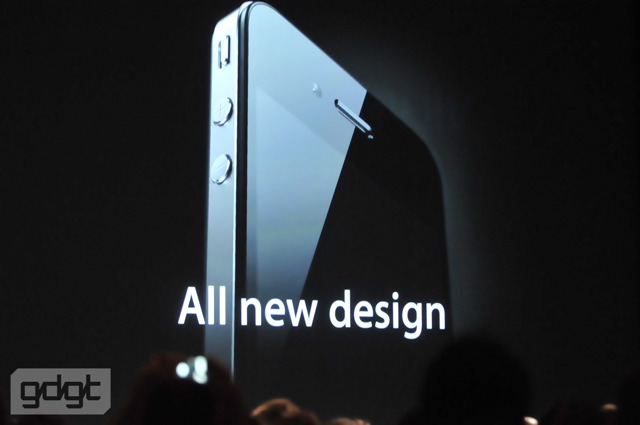
10:31AM - “Now, this is really hot. There are well over 100 new features, but I’m going to cover 8 new features of the iPhone 4. The first: an all new design.”
10:32AM - “Now, stop me if you’ve already seen this.” Huge laughter and cheering.
10:32AM - “This is one of the most beautiful designs you’ve ever seen. This is beyond a doubt one of the most precise and beautiful things we’ve ever made. Glass and steel… its closest kin is like an old Leica camera. And it’s really thin.”
10:33AM - “This is the new iPhone 4.” Huge applause.
10:33AM - “It is just 9.3mm thick, that is 24% thinner than the iPhone 3GS. A quarter thinner in something you didn’t think could get any thinner! In fact, it is the thinnest smartphone on the planet.”
10:34AM - “We have a front-facing camera, microSIM, camera + LED flash, headset, and a second mic for noise cancellation. Now, because there have been a few photos around, people have asked, what’s this?” The edge of the phone. “What are these lines? These don’t seem like Apple.”
10:35AM - “Well, it turns out, there’s not just one of them, there’s three of them. And they are part of the structure of the phone — the stainless steel band is the structure of the phone. These is some brilliant engineering — we use that stainless steel band as part of the antenna system.”
10:36AM - “It’s got integrated antennas right in the structure of the phone — it’s never been done before and it’s really cool engineering.” Big applause. “Stainless steel for strength. Glass on the front AND back. Integrated antennas, and extraordinary build quality.”
10:36AM - “There’s not another consumer product like this. This is our all new design for the iPhone 4. That’s the first point.” Big applause.
10:36AM - “Second: this is a biggie. Something we call the retina display. What’s that?” Chuckles. “In any display, there are pixels — here’s four of them. We start off by dramatically increasing the pixel density, 4x in the same amount of space.”
10:37AM - “Why’s that important? We get far more precision… and we play tricks like adding some gray pixels to help fuzz it for the eye. When you zoom out, you get REALLY crisp images. It has 326 pixels per inch. There has never been a display like this on a phone.”
10:38AM - “People haven’t even dreamt of a display like this. It turns out there’s a limit around 300px per inch that the human eye can’t differentiate between the pixels — text looks like you’ve seen it in a fine printed book, unlike you’ve ever seen on an electronic display before. It’s extraordinary.”
10:39AM - “Let me give you an example of the ordinary display on the left and a Retina Display on the right.” Hard to tell from back here. “Once you use a Retina Display, you can’t go back.”
10:39AM - If you haven’t already, go add the iPhone 4 to your gdgt list!
10:40AM - Demo time: iPhone 3GS “with our widely-praised display on it” vs. the iPhone 4. “Look at that difference. We had to get special projectors for this because most can’t display all the dots we put in the Retina Display!”
10:41AM - Interestingly, they haven’t scaled any of the interface elements and targets — it looks the same, just sharper.
10:42AM - Uh oh, network troubles up on stage. Steve: “You could do me a favor by getting off of WiFi.” Nice hat tip to the Google IO keynote foibles. Switched to backup iPhone 4, errored with: “Could not activate cellular network.” Laughs. “Yeah, I know…”
10:44AM - Steve’s given up on web pages — showing photos now. “It kinda comes down to what do you want to be looking at all day long? … I’ll try one more time here. Well, I’m sorry guys, I just don’t know what’s going on. Scott, you got any suggestions?” Someone shouts “Verizon!”
10:44AM - Demo over. Steve is clearly not too stoked.
10:45AM - “3.5-inches, but 4x more pixels than the iPhone 3GS. 326px per inch. 800:1 contrast ratio, 4x that of iPhone 3GS. IPS — provides much more accurate color and much higher resolution. You can’t make an OLED display with this resolution, we think it’s quite superior.”
10:46AM - “Again, the Retina Display has 78% of the pixels on an iPad right in the palm of your hand. iPhone OS 4 makes it so your apps automatically run on the Retina Display — but they look even better, because we render your text and controls in the higher resolution. Your apps look even better without doing any work!”
10:47AM - “But if you do a little work and put in higher resolution artwork, they’ll look stunning — so we suggest you do that. … We think this is going to set the standard for displays for years to come. It may be the most important single component of the hardware, and we’ve got something here now that’s like the best window on the planet. So that’s the Retina Display.”
10:47AM - “Third: the iPhone 4 is powered by the A4. It’s designed by our own team, and it’s wonderful to have on the iPhone.”
10:48AM - “Let’s take the back off: the first thing you’ll notice is the iPhone is packed to the gills. We went to micro SIM because it’s smaller — we need the space. The biggest component in the phone is the battery — we could make it a little bit bigger.”
10:48AM - “Now, because we’ve made the battery bigger and the A4 is so good with power management, we’ve improved the battery life! 7 hours 3G tlak, 6 hours 3G browsing, 10 hours WiFi browsing, 10 hours music, 40 hours of music, and 300 hours of standby.” Big applause.
10:49AM - “Our environmental report card is strong. Arsenic, BFR, mercury, and PVC free… we’re doing great there.” Review: “A4, 32GB, quad band HSDPA / HSUPA, dual mics, 802.11n” and the rest…
10:49AM - So wait, quad band? T-Mobile? We’ll see!
10:50AM - “We’ve got another cool piece of hardware: we’re adding a three-axis gyroscope.” A few people in the audience just completely lost it.
10:50AM - “We’ve tied the gyro, accelerometer, and GPS for 6-axis motion sensing. It’s perfect for gaming — and one of the reasons it’s perfect is because it’s built into every iPhone 4, so you know it’s there.”
10:51AM - Demo time! “Since this demo doesn’t require the network…” laughter “we should be ok.”
10:52AM - Showing a Janga-like game and did a quick bit of real-space rotation with the gyro. Big applause. This is pretty impressive.
10:52AM - Now Steve is actually playing the Janga game. “I practiced this a little bit.”
10:53AM - “The gyro joins the four other sensors… these phones are getting more and more intelligent about the world around them. So that’s four. Number five. This is a great one. A whole new camera system built into iPhone 4.”
10:54AM - “Everybody loves to talk about the things that are tangible when it comes to photography, like megapixels. But we tend to ask the question: how do we make better pictures?”
10:54AM - “Megapixels are nice, but what cellphone cameras are really about is capturing photons and low-light photography. So we’ve gone from a 3 to a 5 megapixel sensor with a backside illuminated sensor.”
10:55AM - “It’s a way of getting more light to the sensor… also, when most people increase the megapixels, they make the pixel sensors smaller. We’ve kept them the same size so they capture more photons. We’ve got a 5x digital zome, tap to focus, and LED flash.”
10:56AM - “The pictures are marvelous.” Showing photos: “These were taken right off the iPhone 4, shows you what kind of quality we can get.” Applause.
10:56AM - “But that’s not all: the camera records HD video.” Big applause.
10:57AM - “It records a full 720p at 30fps — it’s REAL HD. Tap to focus video, built-in video editing, one-click sharing, and the LED flash will stay on to illuminate scenes for video. Record and edit HD video right on your phone. It’s pretty remarkable. But we’re going even further than that…”
10:57AM - “We’ve written an application ourselves.” iMovie for iPhone!
10:58AM - Demo time! Randy Ubillos, Apple’s chief architect of video apps. “This is one of the most exciting things I’ve ever worked on. Record HD video and edit with beautiful transitions and titles, all on the device you carry with you every day.”
11:01AM - Showing edits, transitions, bringing in music from iTunes. Geolocation information can be imported to titles. This is all looking pretty amazing. There’s nothing out today that is remotely comparable to this in terms of mobile video editing.
11:03AM - Showing final HD video that was recorded, edited, and rendered on the phone. Pretty unreal.
11:04AM - Demo over! Steve’s back. “Isn’t that awesome? iMovie for iPhone. You can buy this right on your phone for $4.99 right on your phone. If we approve it.” Laughter. Number six!
11:05AM - “Before I begin, our guys are running around backstage trying to figure out what’s up. Why? There are 570 WiFi base stations in the room… would you like to see the demos? All you bloggers need to turn off your base stations, put your notebooks down.”
11:05AM - Wait, Steve is seriously asking everyone to stop liveblogging? They’re serious!
11:05AM - “If you want to see the demos, there’s no way to do it. Set ‘em on the floor.” This is really awkward.
11:06AM - “I’ve got time…” laughter. “This is a testament to how far we’ve come, isn’t it?”
11:06AM - People are jeering… “come on guys.” Oooookay. “Are we done? So, number six: iPhone OS4. The most advanced mobile OS in the world.” Big applause.
11:06AM - And yes, we’re still here. Sorry Steve.
11:06AM - “We’re renaming it! We’re taking away the phone! iOS4.”
11:08AM - “And we’re going even further and giving it some metal.” Heh. “It’s our most ambitious release to date — over 1500 developer APIs. Over 100 new user features, the biggest being multitasking. Some people were saying you weren’t first with multitasking — the same was true with cut/copy/paste. But we took some time to figure out how to do it right.”
11:09AM - “I’d like to demo just a few things today.” Demo time! Showing multitasking – Pandora, now switching to Mail. “We’ll see if we really did turn off all those WiFi devices.” Page loads, huge applause. “Thank you!”
11:11AM - The engineering team at gdgt HQ just made a good point: the “iOS” name is already taken by Cisco. (It’s what runs most of the internet, as a matter of fact.) Then again, Cisco owned the “iPhone” name, too, as you might recall.
11:12AM - Showing the meta media controls in the multitasking tray, unified inbox with threading, folders, and lots of other new stuff. “So, iOS4: Multitasking, folders, Retina Display integration, unified inbox and threading in Mail, lots of enhancements in camera and photos, deeper enterprise support, and tons of new features everywhere.”
11:13AM - “I wanted to hit for a moment on the enterprise integration — our customers are thrilled. Better data protection, wireless app distribution, multiple Exchange accounts… another thing we’re adding on the consumer side, today we have Google and Yahoo search.”
11:14AM - “We’re adding a third option, which is Bing! Google will stay the default, but now you have another choice, if you like. Each one takes a unique approach to how they search and format results. You decide.”
11:14AM - “Microsoft has done a really nice job on this, it’s an HTML5 presentation, it’s great. So, iOS4: we’re going to put a golden master candidate in developers’ hands today. Our final candidate will be in your hands today, and it will be out soon.”
11:15AM - “Now, there’s another major milestone we’re about to hit: this month we will sell the 100 millionth iOS device.” Applause. “That’s iPhones, iPod touches, and iPads, 100 million. There is definitely a market for your applications.”
11:15AM - “So no one even comes close to this. That is iOS4. Number seven: iBooks. We are bringing it to the iPhone.”
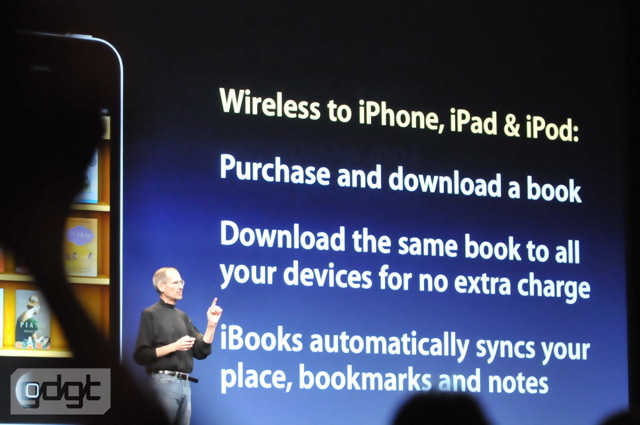
11:16AM - “The same controls, the same highlighting, the same bookmarking, the same PDF reading. If you get a PDF in Mail, tap on that and you’ll go right to iBooks. And, of course, the iBook Store right on your iPhone. We’ll have it on the iPad, iPhone, and iPod touch. This gets interesting.”
11:17AM - “What can we do with all these products together? Well, the first is you can download and purchase a book to any of these products, and it’ll be wirelessly downloaded right to the device. Now, you can download the same book to all your devices at no extra charge.”
11:18AM - “You only have to buy it once. And, iBooks will automatically and wirelessly — and for no charge — sync your place, notes, and bookmarks across all your devices.” Big applause. Sorry Kindle!
11:18AM - Demo time!
11:19AM - “Partly just because I want you to see how beautiful this looks on our amazing Retina Display.” Showing selections, highlighting with colors, notes, bookmarks. This is all pretty true to the iPad version.
11:21AM - “Pretty cool, huh?” Applause. “So that is iBooks. As you know, it has the iBookstore, which joins the App Store and iTunes Store as the third store on the iPhone. We have over 150 million credit cards on file ready to purchase your apps. We think we’re number one on the web.”
11:22AM - “Number eight: iAds. Why are we doing iAds? For one simple reason: to help our devs earn money so they can continue to create free and low-cost apps for users.” So Steve DOES acknowledge the deflationary nature of the App Store.
11:22AM - “As you know, we’re trying to combine the emotion of video with the interactivity of the web. … iAds keep you in your app.” If you saw our iPhone OS 4 keynote coverage, a lot of this is just recap.
11:24AM - “Apple hosts and sells the ads, so all you have to do is tell us where you want them and make the money.” Chuckles. “We’ve only been selling ads for 8 weeks, and I’d like to just show you about some of the brands that will be advertising with us during the second half of the year…”
11:25AM - “Nissan, Citi, Unilever, AT&T, Chanel, GE, Liberty Mutual, State Farm, Geico — they want you guys to have insurance! — Sears, JCPenny, Target, Best Buy, DirecTV, TBS network, and Disney. Those are some of the brands, and we couldn’t be happier. We’re so excited.”
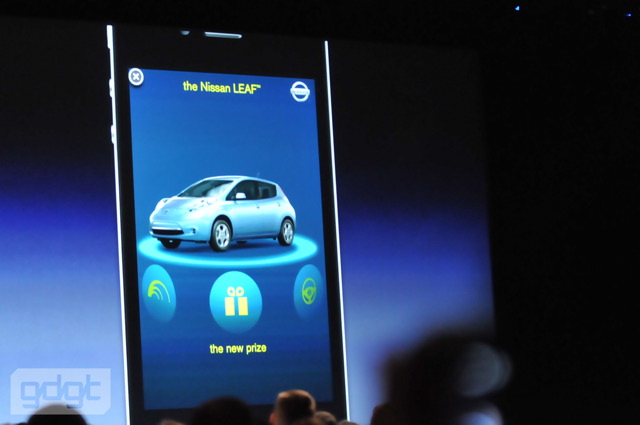
11:26AM - “I wanted to pull an ad, Nissan is working on one for their fully electric car… they were hesitant to show it, but I really wanted to show you, so I convinced them.” Laughter.
11:27AM - Showing the interactive Nissan Leaf iAd. Steve registered on the ad with his sjobs email address — laughter.
11:30AM - Steve’s talking display ad numbers. They’re looking at $60m of ad dollars in the second half of the year — “We think it’s going to be 48% of the entire US mobile display ad market. We think we’re off to a pretty great start!”
11:31AM - “I think it’s a lot more than people thought it was. What do you think?” Applause. “Well, we’re really pleased with it. But there is one more thing…”
11:31AM - “I think it’s best if I just show you.” Steve’s walking over to the demo.
11:32AM - “I really want your WiFi devices off, are they off? Please turn ‘em off if you’ve turned ‘em back on.”
11:32AM - Steve’s seated, and about to make a call to Jony Ive on the iPhone 4.
11:32AM - FaceTime — video calling.
11:33AM - “In 2007 when we launched the iPhone, I got to make the first public call on the iPhone…” Jony’s face shows up on the screen. “Hey Jony! This never freezes up, so you haven’t turned off all the WiFi — let’s get it off please!”
11:34AM - “Hey Jony how you doing?”

“I’m doing okay — except for these guys who aren’t turning their WiFi off. You know, this is amazing… I grew up with the Jetsons and Star Trek communicators. I grew up dreaming about this stuff…”
11:34AM - Jony: “I did, too — I used to love the optimistic view of the future. And it’s real now, isn’t it?”

“It’s real now. Especially when people turn off their WiFi.”
11:35AM - Big applause. Guess that FaceTime calling wasn’t over the cellular network!
11:36AM - “We call this FaceTime — video calling. It’s… it’s great. It’s iPhone 4 to iPhone 4 anywhere there is WiFi, and there is no setup required.”
11:37AM - “You can switch from the front or rear camera automatically. It’s WiFi-only in 2010, we’re working with the cellular providers to get things ready.”
11:39AM - Video demo time! Super intimate moments –babies, sign language… tearful!
11:40AM - “This is one of those moments that reminds us why we do what we do. FaceTime: iPhone 4 to iPhone 4, anywhere there’s WiFi, zero setup, front or rear camera, amazing video and audio quality. It’s based on a lot of standards, and we’re going to take it all the way… we’re going to make FaceTime an open industry standard.” Big applause.
11:40AM - “FaceTime… that’s number nine. That’s iPhone 4, and we think it’s the biggest leap we’ve taken since the original iPhone. I think you’ll agree there’s more to it than met the eye.” Sound like a vague Giz reference.
11:40AM - “Price and availability! iPhone 4 comes in two colors, black and white — price is $199 in the US for the 16GB model, and 299 for the 32GB model.”
11:41AM - “I’m thrilled to announce AT&T is going to make an incredibly generous upgrade offer. If your contract expires any time in 2010, you are immediately eligible for a new iPhone 4 at the same 199 or 299 prices if you top up your contract 2 years.”
11:42AM - “So you can get up to 6 months early eligibility to upgrade. We’re thrilled about that. What’s our lineup look like? Yesterday it was the 3G for 99, and the 3GS for 199.”
11:42AM - iPhone 3G is gone, 3GS now 99, on sale June 24th.
11:42AM - “Pre-order start a week from tomorrow. We’ll be hsipping in five countries, US, France, Germany, UK, Japan — in July, we’ll be doing 18 more countries.”
11:43AM - “In August we’ll add 24 more, and in September we’ll add 44 more — we’ll be shipping in 88 countries. This will be our fastest rollout ever.” Accessories!
11:44AM - “A real nice dock.” $29. “Just like the iPad, we took a crack at doing a case ourselves, we call it a bunker.” Colors, $29.
11:44AM - “We will be offering iOS4 upgrades for the 3GS, 3G — but again, not all features will be supported in the 3G — and iPod touch… upgrades for all these products will be free on June 21st.”
11:45AM - “We’ve finally found a way to get these upgrades for free to our iPod touch customers, and we couldn’t be happier. We’ve put together a video to summarize all the features of the iPhone 4, and I’d like to run that now…” Video time.
11:46AM - Lusting after the iPhone 4’s insanely high-res display? Discuss here!
11:47AM - Going over all the stuff from the presentation… FaceTime, Retina Display, all the stuff we’ve seen. (Don’t worry, these videos usually end up on Apple’s site.)
11:50AM - Still reviewing iOS4 features, now talking A4 and the 40% increased call time.
11:51AM - “This is going to change everything. All over again.” Big applause for the video. Steve’s back.
11:52AM - “I put up this slide earlier this year, and to me it represents what Apple is all about. It’s not just a technology company, even though we have and invent some of the highest tech in this industry. It’s more than that. It’s the marriage of that and humanity.”
11:52AM - “It’s the hardware and software working together. It’s not just a great new camera, it’s the built-in editing software and iMovie. It’s not just a front-facing camera, it’s a front-facing camera and 18 months worth of work to create software you’ll never even notice when you want to make a video call.”
11:53AM - “I am so proud of the team that created this product. It’s really extraordinary. Before we end today, I’d like to say thanks to the teams who’ve worked their tails off to create the iPhone 4. Mark Papermaster, can you please stand up?” Big applause in the room.
11:54AM - “Jony Ive and the design team… the A4 team… Scott Forstall and our remarkable iOS software team… all of this wouldn’t make any difference if we couldn’t build a ton of them. Tim in our operations team…”
11:54AM - “All the rest of the Apple family that supports us in a thousand ways, I’m really proud of all you guys. Awesome job.” Applause
Posted by Joe Knaggs at 19:58 0 comments Email ThisBlogThis!Share to XShare to FacebookShare to Pinterest
Labels: iPhone OS
Newer Posts Older Posts Home

Giff Gaff

Get a free giffgaff Sim

Search This Blog

Hit Counter

custom logo

About Me

Joe Knaggs
View my complete profile

Blog Archive

  • ►  2012 (10)
    • ►  April (4)
    • ►  March (3)
    • ►  January (3)
  • ►  2011 (31)
    • ►  August (1)
    • ►  July (6)
    • ►  June (12)
    • ►  March (7)
    • ►  February (5)
  • ▼  2010 (78)
    • ►  December (1)
    • ►  October (2)
    • ►  September (10)
    • ►  August (8)
    • ►  July (7)
    • ▼  June (32)
      • Microsoft unveils the Kinect, arriving in November
      • iPhone 4 Pre-Sales At Best Buy Start June 15, In S...
      • iOS 4 Is Going To Up The Ante For Location-Based S...
      • Huawei’s E585 portable 3G router is like a MiFi wi...
      • Apple Hits 10,000 iPad Apps — Store Doubled In The...
      • The Icon iPhone charger is real
      • Apple Begins Urging Developers To Get Their iOS 4 ...
      • Adobe fixes critical Flash flaw (so upgrade right ...
      • The WWDC 2010 keynote from Apple
      • How To Remove BitLocker Encryption in Windows 7
      • 10 Things Android Does Better Than iPhone OS
      • What the Next Apple TV Could and Should Be
      • Just a Funny Video from BBC Comedy Site
      • Study: Wikipedia actually pretty accurate (so calm...
      • New Asus mobo has an integrated discrete GPU
      • Google Chrome OS set to launch this fall
      • Apple cracking down on widgety and desktop-y iPad ...
      • Steve Jobs Both Smacks And Kisses AT&T
      • Why Google TV As A Platform May Push Apple To Buil...
      • The Kindle will soon be available at Target locati...
      • Intel Introduces Atom Chips For Netbooks, Tablets
      • Intel Core i7-980X Extreme Edition - Most Powerful...
      • New Review: Intel Core i7-875K
      • Microsoft touts HTML5 as the core of next year's I...
      • Internet Explorer continues to lose market share
      • Google’s Chrome will see 2010 release
      • Malware Attack Hits Facebook Users
      • Microsoft looks to put Windows 7 on tablets
      • Advantage of iPad over iPod touch
      • Plentiful iPad stocks in stores across UK
      • Steve Jobs on Adobe, Gizmodo and why iPad came bef...
      • Pointless things to do when your bored
    • ►  May (1)
    • ►  April (9)
    • ►  March (8)
  • ►  2009 (89)
    • ►  December (2)
    • ►  November (6)
    • ►  October (11)
    • ►  September (28)
    • ►  August (14)
    • ►  July (8)
    • ►  June (6)
    • ►  May (14)

Labels

  • Adobe (2)
  • Amazon (1)
  • an ssd (1)
  • Andriod (2)
  • App reviews (11)
  • App Store (1)
  • Apple (78)
  • April Fools (1)
  • Asus (1)
  • ATTI (1)
  • Bitcomet (1)
  • Call of Duty (1)
  • Camcorders (1)
  • Chrome (6)
  • Chrome OS (5)
  • Ciso (1)
  • config (1)
  • Consoles (1)
  • directory (1)
  • DS (1)
  • facebook (2)
  • Firefox (2)
  • Flash (1)
  • Flip (1)
  • Galaxy Tab (4)
  • Games (3)
  • Gigapascal (1)
  • Google (19)
  • Google OS (2)
  • Google TV (1)
  • google wave (1)
  • Google+ (3)
  • guide (1)
  • how to (1)
  • HP (1)
  • Intel (3)
  • Internet Explorer (5)
  • iOS (4)
  • iPad (17)
  • iphone (13)
  • iPhone OS (11)
  • iPod (4)
  • iPod Nano (5)
  • iPod Shuffle (3)
  • ipod touch (38)
  • iTunes (8)
  • itunes 9 (1)
  • itunes 9 concept (1)
  • Kindle (1)
  • Lockerz (4)
  • Mac (8)
  • Mac Mini (2)
  • Macbook (1)
  • Me (1)
  • Microsoft (8)
  • Mifi (1)
  • MinoHD (1)
  • Modern Warfare (1)
  • music (1)
  • Nintendo (1)
  • Opera (1)
  • PC Games (3)
  • regedit (1)
  • Review (2)
  • Safari (1)
  • Samsung (4)
  • set up (1)
  • Skype (1)
  • ssd optimisation (1)
  • Stacks (1)
  • Steam (1)
  • Tap tap revenge 3 (7)
  • tapulous (2)
  • Thunderbolt (1)
  • Touchpad (1)
  • Tumblr (1)
  • tutorial (1)
  • twitter (6)
  • UltraHD (1)
  • Uncategorised (1)
  • user folder (1)
  • Web Browsers (1)
  • Wikipedia (1)
  • windows 7 (26)
  • windows 7 RC (1)
  • windows 8 (3)
  • with (1)
  • wordpress (1)
  • XBOX (2)

All Things Tech By Joe

Loading...

Followers

Powered by Blogger.

My Blogs

  • Games and Fun by Joe Knaggs
    Welcome to ATTI Fun and Games
    5 years ago

About the Blog

This Joe's "All The Tech Info" ATTI Blog which provides you with all the latest tech news.

Categories

  • Adobe (2)
  • Amazon (1)
  • an ssd (1)
  • Andriod (2)
  • App reviews (11)
  • App Store (1)
  • Apple (78)
  • April Fools (1)
  • Asus (1)
  • ATTI (1)
  • Bitcomet (1)
  • Call of Duty (1)
  • Camcorders (1)
  • Chrome (6)
  • Chrome OS (5)
  • Ciso (1)
  • config (1)
  • Consoles (1)
  • directory (1)
  • DS (1)
  • facebook (2)
  • Firefox (2)
  • Flash (1)
  • Flip (1)
  • Galaxy Tab (4)
  • Games (3)
  • Gigapascal (1)
  • Google (19)
  • Google OS (2)
  • Google TV (1)
  • google wave (1)
  • Google+ (3)
  • guide (1)
  • how to (1)
  • HP (1)
  • Intel (3)
  • Internet Explorer (5)
  • iOS (4)
  • iPad (17)
  • iphone (13)
  • iPhone OS (11)
  • iPod (4)
  • iPod Nano (5)
  • iPod Shuffle (3)
  • ipod touch (38)
  • iTunes (8)
  • itunes 9 (1)
  • itunes 9 concept (1)
  • Kindle (1)
  • Lockerz (4)
  • Mac (8)
  • Mac Mini (2)
  • Macbook (1)
  • Me (1)
  • Microsoft (8)
  • Mifi (1)
  • MinoHD (1)
  • Modern Warfare (1)
  • music (1)
  • Nintendo (1)
  • Opera (1)
  • PC Games (3)
  • regedit (1)
  • Review (2)
  • Safari (1)
  • Samsung (4)
  • set up (1)
  • Skype (1)
  • ssd optimisation (1)
  • Stacks (1)
  • Steam (1)
  • Tap tap revenge 3 (7)
  • tapulous (2)
  • Thunderbolt (1)
  • Touchpad (1)
  • Tumblr (1)
  • tutorial (1)
  • twitter (6)
  • UltraHD (1)
  • Uncategorised (1)
  • user folder (1)
  • Web Browsers (1)
  • Wikipedia (1)
  • windows 7 (26)
  • windows 7 RC (1)
  • windows 8 (3)
  • with (1)
  • wordpress (1)
  • XBOX (2)

FEEDJIT Live Traffic Map

Feedjit Feed

Follow me on twitter

Follow frolicols on Twitter

Kontera

 
Copyright (c) 2010 All Things Tech By Joe Knaggs. Designed for Video Games
Download Christmas photos, Public Liability Insurance, Premium Themes